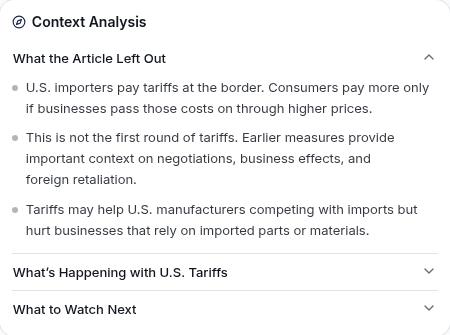
Our free Chrome extension checks any news article for political bias and reliability without leaving the page. Get an instant bias rating, see what the story left out, and compare how the left, center, and right covered it.
Bias Lens: see every bias and reliability indicator in the article
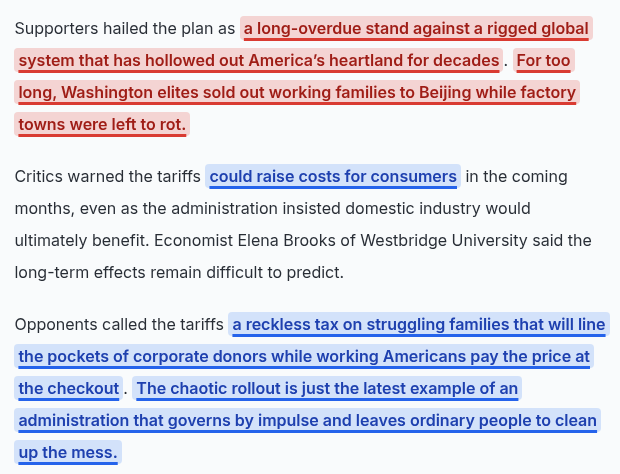
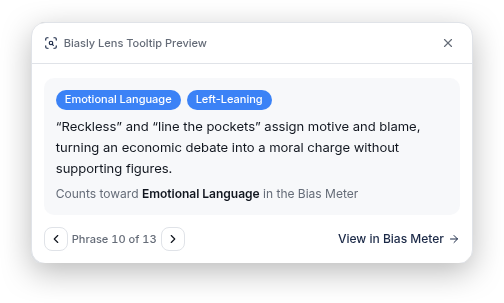
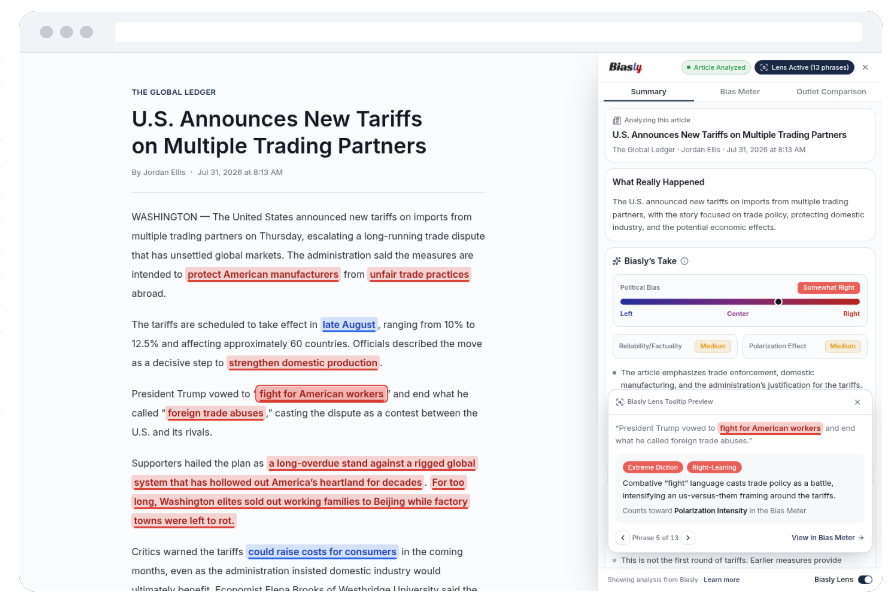
Turn on Bias Lens and the extension highlights every bias and reliability indicator Biasly spots as you read. Hover or click a highlight to see why it was flagged. Every indicator then flows into your bias report, so each rating is tied to real words on the page.
Highlights loaded language, emotional framing, and slanted claims in the text
Flags reliability signals like unsupported claims and unattributed quotes
Explains each phrase in a tooltip and links it to your bias report
1Flagged phrases are highlighted as you read
2Click a highlight to see why it was flagged
Everything in your news bias report
Every report is powered by Biasly’s AI Bias Meter, the same engine behind our media bias ratings, so you can judge a story on the evidence instead of the headline. Here’s what you get on every article.
See the bias rating before you finish the headline
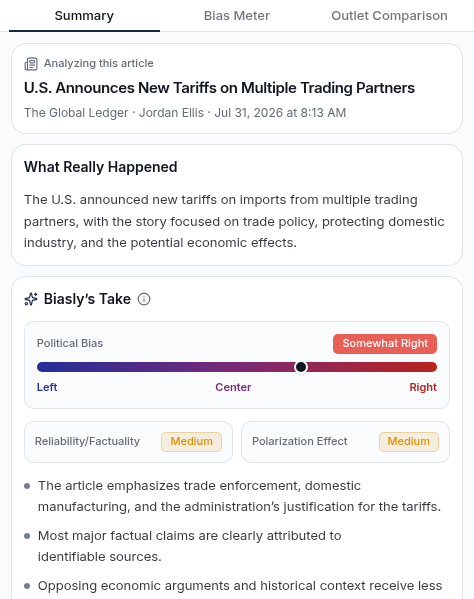
One click gives you a plain-language summary of what happened, plus Biasly’s Take: the article’s political bias on a Left–Center–Right scale, its reliability and factuality, and its polarization effect.
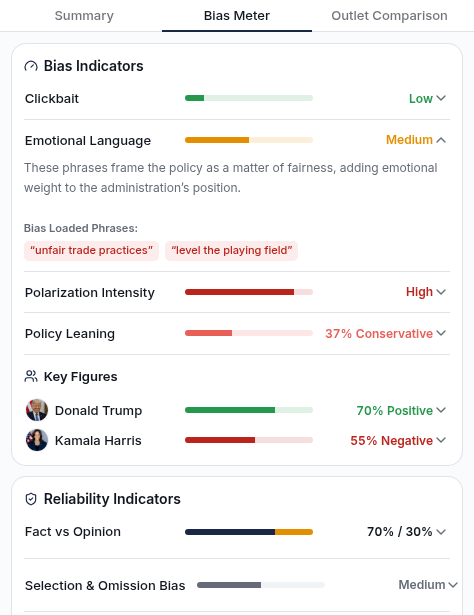
The AI Bias Meter breaks the article into measurable bias and reliability indicators. Expand any rating to read why it scored that way and see the exact phrases behind it.
Clickbait, emotional language, and polarization intensity
Policy leaning and sentiment toward key politicians
Fact vs. opinion, omission bias, source and quote quality
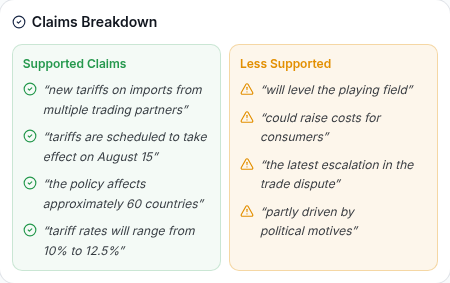
Claims Breakdown sorts the article’s key statements into supported claims backed by facts or sources and less supported claims that rely on framing or speculation.
Compare how the left, center, and right covered the story
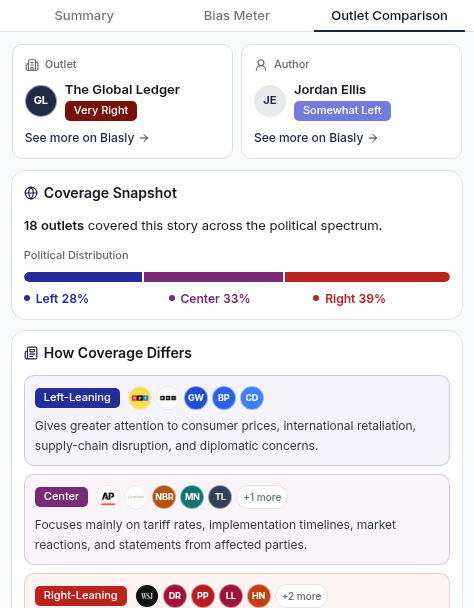
See the bias ratings of the outlet and the author, how many sources covered the story across the political spectrum, and how each side framed it, with links to read other perspectives.
Outlet and author bias ratings
Coverage distribution across left, center, and right
How major outlets covered the story
How to install the Media Bias Checker extension
Setup takes about a minute.
1
Add it to Chrome
Open Media Bias Checker by Biasly in the Chrome Web Store and click “Add to Chrome.”
2
Sign in for free
Create a free Biasly account or log in. All bias ratings are free with an account.
3
Pin the extension
Click the puzzle icon in your toolbar and pin Biasly so it’s always one click away.
4
Check any article
Open a political news article and click the Biasly icon. Your bias report is ready in seconds.
Yes. Media Bias Checker by Biasly is free to install, and all bias and reliability ratings are free with a Biasly account. Biasly News memberships add more features. Compare Biasly News memberships.
It uses Biasly’s AI Bias Meter to analyze the article’s language, sources, quotes, policy framing, and politician portrayals, then rates its political bias, reliability, and polarization effect.
Biasly Lens highlights every bias and reliability indicator Biasly finds directly in the article and explains, in a short tooltip, why each phrase was flagged. Those same indicators feed into your bias report.
Read the news with the full picture
Know the bias, reliability, and missing context of every political article you read. Free with a Biasly account.